Which models sit beside VIM70FH?
VIM60FH and VIM100FH are the adjacent entries at 60W and 100W. VIM70FH is listed at 70W, with the same published 1080nm wavelength as the rest of the family.

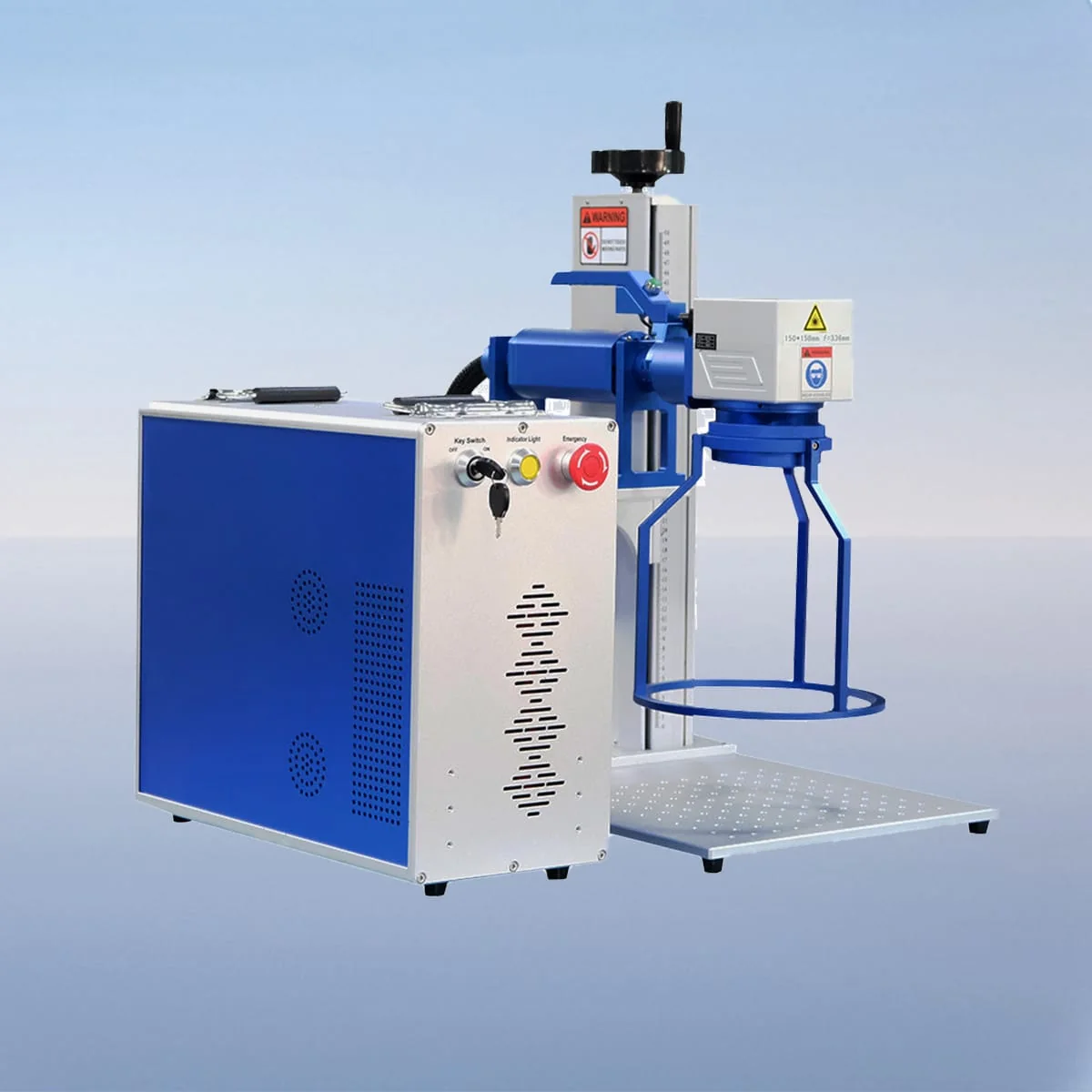
Laser Marking Machine
VIM70FH is the 70W handheld fiber laser marking entry between the 60W and 100W models in the FH family. Its published wavelength is 1080nm. For detailed identification work, begin with the relationship between the complete graphic, its smallest features and the actual surface receiving it.
The model table contains fine-detail dimensions, but those values are not a substitute for your artwork. Send a representative full serial number or logo at the required size. This lets the discussion address a real layout instead of selecting power solely from a small-character figure.
| Specification | VIM70FH |
|---|---|
| Laser Power | 70W |
| Laser Wavelength | 1080nm |
| Making Range | 110*110mm, 200*200mm |
| Laser Generator | Raycus, IPG |
| Minimum Line Width | 10 Microns |
| Minimum Characters | 0.15mm |
| Usage Environment | Clean and Dust-Free or Dust-Less |
| Graphic Format Supported | bmp, jpg, gif, png, tif, ai, dxf, dst, plt, etc |
| Laser Module Life | >100000 Hours |
Configuration options vary by model. Confirm the final specification, selected components and operating requirements with your quotation.
Minimum Line Width is stated as 10 Microns; Minimum Characters is 0.15mm. The character value describes a dimension, not a count of letters or digits. Neither entry demonstrates contrast, readability or durability for every font and surface, so identify the result you intend to inspect.
The FH configuration combines a handheld design with a fiber generator, air cooling, galvo scanner and field lens. The control system offers setting adjustments and monitoring. Numerical adjustment limits and a ready-made process library are not supplied here and should not be inferred from the 70W power entry.
The red dot pointer gives a visible location reference for material or marking-area alignment. Include the reference edge used to position the graphic on your drawing. This aid is not evidence of automatic focusing, automatic location correction or compensation for whatever curvature the workpiece may have.
The original description names metals and plastics and gives serial numbers, logos and part identification as uses. State the exact substrate and any surface treatment when preparing your enquiry. The broad material examples do not establish a tested outcome for a particular alloy, coating or plastic formulation.
For text-heavy artwork, include font information, intended character height and the complete line arrangement. For a logo, identify details that must remain visible. Show the component orientation and support separately; a graphic file alone does not explain whether the handheld head can approach the intended face.
The published marking range choices are 110*110mm and 200*200mm, with Raycus and IPG listed as source options. Specify the proposed range and source in the offer. The table does not state that changing the range requires no optical change or that all generator choices are supplied together.
Supported formats include bmp, jpg, gif, png, tif, ai, dxf, dst and plt. Retain the original file alongside a dimensioned layout. Request the offered head size, connection arrangement and accessory list where the workstation layout depends on them; handheld does not establish battery operation or a particular cable reach.
A clean, dust-free or low-dust environment is stated. The described interlock stops operation when a safety door or panel opens, without defining every protective measure at the proposed workplace. The >100000 Hours Laser Module Life entry is separate from warranty conditions and should remain labelled as a module specification.
VIM60FH and VIM100FH are the adjacent entries at 60W and 100W. VIM70FH is listed at 70W, with the same published 1080nm wavelength as the rest of the family.
The 0.15mm field is a character dimension. It does not establish the length of your serial number or guarantee that its chosen font meets your inspection requirement on a given surface.
No battery specification is given in the source. Ask for the actual electrical and connection requirements before planning where the marking equipment will be used.
Provide the working file, finished outer dimensions and the details that must be preserved. Add the material and surface information and show the exact location on the component drawing.
It describes a stop triggered by opening a safety door or panel. Review the actual station arrangement and operating instructions separately; that action alone is not complete protection or certification.
Share your material, dimensions and process. Start a conversation about the right configuration.