What power and wavelength are listed for VIM100CS?
The published entry gives 100W and 10.6 μm. Its neighboring family choices are VIM60CS at 60W and VIM150CS at 150W, all using the CS split arrangement.

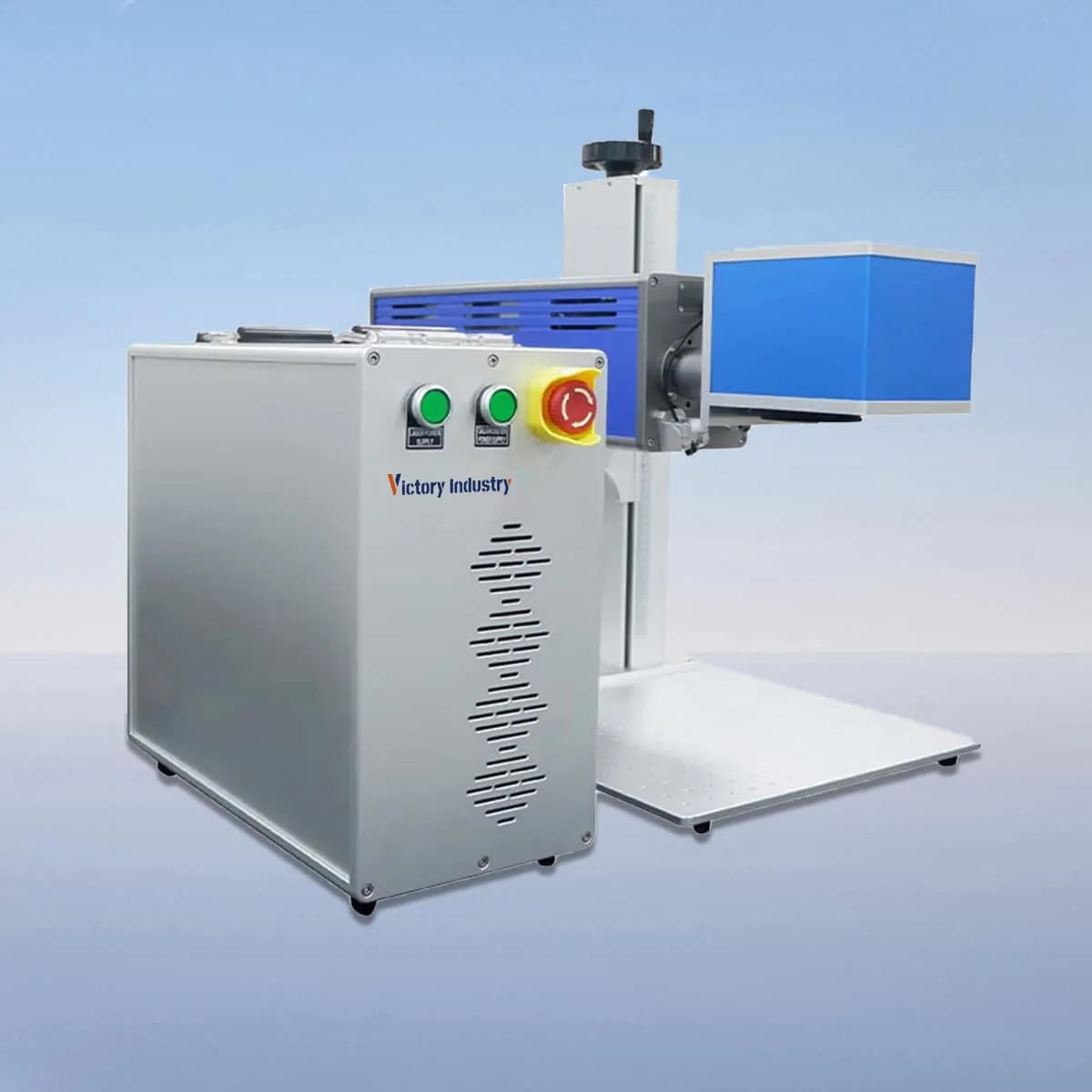
Laser Marking Machine
VIM100CS is a 100W split-design CO2 laser marking model with a published wavelength of 10.6 μm. Within the VIM-CS family it is above VIM60CS at 60W and below VIM150CS at 150W. The series also contains 30W and 40W entries.
The separated marking or source unit and control unit distinguish the CS arrangement. Their placement should be considered alongside the part support and operator access. For a 100W enquiry, show the preferred positions and request the actual connecting arrangement; the split description does not define a distance between the units.
| Specification | VIM100CS |
|---|---|
| Laser Power | 100W |
| Laser Wavelength | 10.6 μm |
Configuration options vary by model. Confirm the final specification, selected components and operating requirements with your quotation.
The equipment description includes a CO2 laser tube, an air cooling device, a galvo scanner and a field lens. It also identifies a red dot pointer for visible positioning. Keep the proposed lens and field information with the VIM100CS model entry when comparing the details of an offer.
Settings, adjustment and real-time monitoring are described for the controls. Explain which artwork details change between orders and how the part is presented at the marking position. That information gives the proposed interface and operating steps a specific purpose, without assuming a software brand or an automated production connection.
A 100W entry does not replace the need for an artwork and material brief. If VIM60CS or VIM150CS is considered as an alternative, use the same requirements for the comparison. The published powers distinguish the models but do not establish proportional output rates or a guaranteed engraving depth.
The series names plastics, glass and ceramics as intended marking and engraving materials. Describe the actual substrate and surface finish, and show the mark's location on the component. Include the appearance you need to assess; material categories do not define an accepted result for every grade or coating.
For parts that need a particular support or orientation, include that arrangement in the enquiry. A drawing can show the available access, obstructions and preferred control location. These details help frame a split-machine proposal without claiming that separated units automatically accommodate any workpiece size, weight or shape.
Specify the graphic dimensions when requesting the optical configuration. No numerical working field or minimum character-size value is assigned here for VIM100CS. The galvo scanner and field lens are described components, while the actual selection for the proposed job should be stated clearly in the equipment offer.
The source describes an interlock that stops operation if a safety door or panel opens. Review its arrangement in the operating documentation and clarify the protection needed at the work position. This is a stated machine function, not a safety certification for every possible installation of the separated units.
Finalize the layout only after obtaining actual dimensions, connections and setup requirements. Identify any requested supports or accessories as their own scope items. Air cooling does not establish a continuous operating duration or maintenance interval, so request the instructions that apply to the supplied equipment and intended workplace.
The published entry gives 100W and 10.6 μm. Its neighboring family choices are VIM60CS at 60W and VIM150CS at 150W, all using the CS split arrangement.
No numerical field dimension is assigned here. Provide the artwork at its intended size and request the field lens and working area selected for the offered machine.
No arbitrary workpiece size or weight capability is established. Supply the part dimensions, support and access requirements so the proposed equipment positions can be discussed with the actual task.
The published description covers parameter settings, adjustment and real-time monitoring. Review the actual offered interface using your artwork and the changes expected between jobs.
Identify the VIM100CS marker, selected optics, control arrangement and requested supports or accessories. Obtain the actual unit dimensions and connections rather than treating the split layout as a complete installation specification.
Share your material, dimensions and process. Start a conversation about the right configuration.