What power and wavelength does VIM30CD list?
VIM30CD is listed at 30W with a 10.6 μm wavelength. The power is specific to this model; the wavelength is shared across the VIM-CD family.

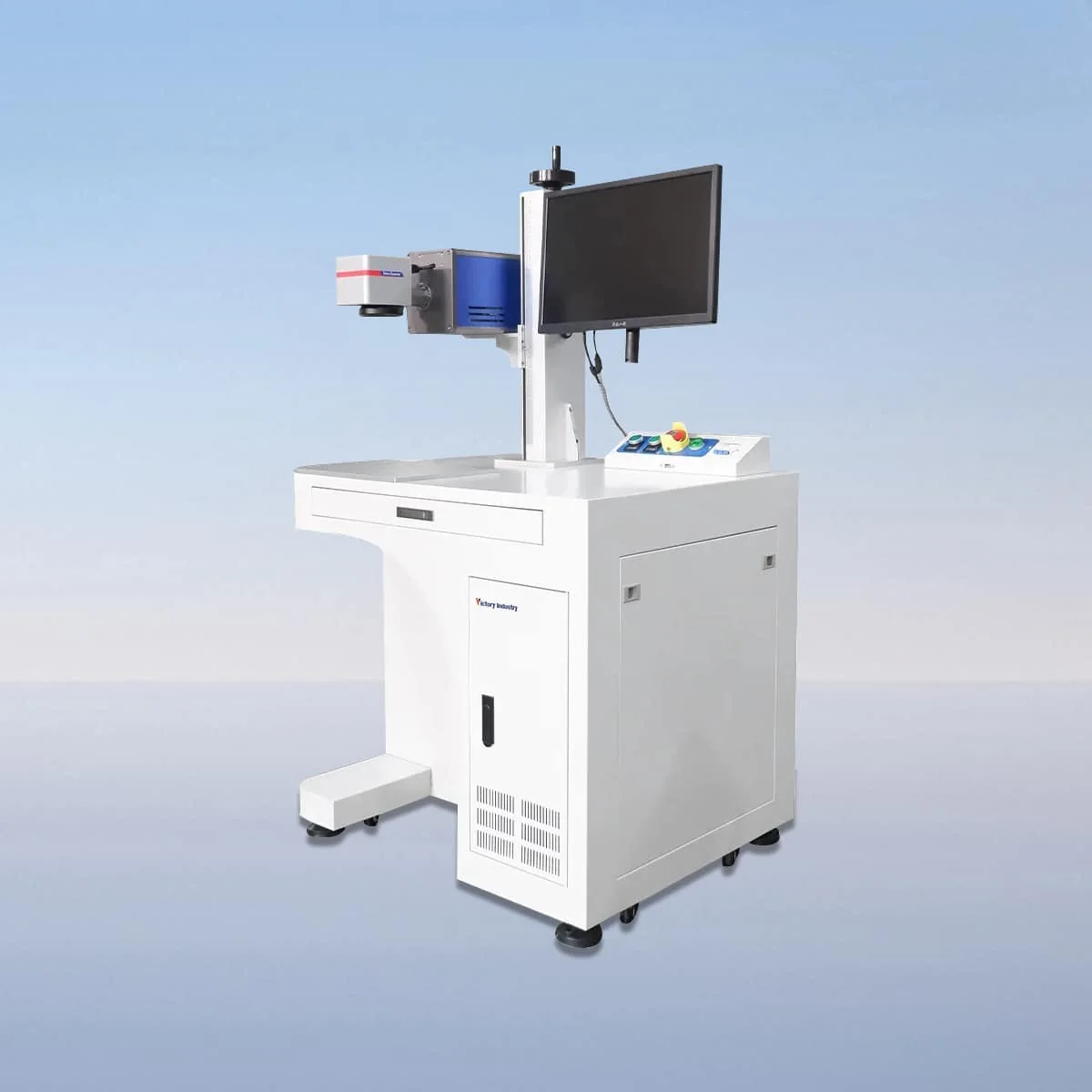
Laser Marking Machine
VIM30CD is the 30W desktop model in the VIM-CD CO2 laser marking series, with a published wavelength of 10.6 μm. It is the lowest-power entry in a family that also lists 40W, 60W, 100W and 150W models. That comparison identifies the laser choice without assigning a production rate or a particular engraving result.
The desktop configuration includes a CO2 laser tube, air cooling, galvo scanner and field lens. A red dot pointer provides a visible positioning reference. For a buyer considering this model, the first practical question is how the part and its mark will be presented at the proposed station.
| Specification | VIM30CD |
|---|---|
| Laser Power | 30W |
| Laser Wavelength | 10.6 μm |
Configuration options vary by model. Confirm the final specification, selected components and operating requirements with your quotation.
The 30W power belongs specifically to VIM30CD. The next listed model, VIM40CD, is 40W and shares the same wavelength. If both are under consideration, compare them using the same material and artwork requirements. Their power difference does not establish a difference in field size, which is not specified on this page.
Parameter setting, adjustment and real-time monitoring are described for the VIM-CD controls. Prepare a representative job to review with the offered system, identifying its dimensions and the information that changes between runs. This keeps the interface discussion connected to your work rather than to an assumed software package.
The red dot pointer and the workpiece's reference edges should be considered together during setup. Show the intended mark location on a part drawing and identify the surface presented to the optics. The pointer is an alignment aid; its presence does not establish automatic part recognition or a guaranteed placement tolerance.
The series' published scope includes marking and engraving on wood, acrylic, glass and plastic. Specify the exact material and any surface treatment for the VIM30CD enquiry. These material names describe intended applications, while the actual grade, coating and requested appearance still need to be considered for the job.
If the required mark is a logo, text or another graphic, provide it at the intended size and show its position on the object. Include the complete object dimensions even for a small mark. The desktop setup must be discussed around both the marking patch and the way the workpiece will be supported.
Request the proposed marking field, lens and control details alongside the 30W model. No field dimensions, minimum character size or software brand are assigned here. Put the selected components in the equipment schedule so the offered configuration is clear before the workstation layout is fixed.
Air cooling is listed, together with an interlock that stops operation when a safety door or panel opens. Obtain the actual operating instructions and protective arrangement for the selected equipment. These component descriptions do not define a continuous operating duration or certify the whole desktop workstation.
The layout should show loading, the part support, operator position and access to the controls. Use actual equipment dimensions when selecting a bench or location. A concise VIM30CD request combines the 30W model, artwork, material information and proposed setup, with any requested supports or accessories identified separately.
VIM30CD is listed at 30W with a 10.6 μm wavelength. The power is specific to this model; the wavelength is shared across the VIM-CD family.
VIM40CD is the next entry at 40W. Compare the two against the same job requirements rather than assuming that the power difference alone specifies the finished mark.
Wood, acrylic, glass and plastic are named for marking and engraving. Provide the exact substrate and surface finish for your task; the list is not a tested result for every variant.
No marking-field value is assigned here. Ask for the field and optical configuration proposed for the actual artwork and the way the part will be presented.
Send the object dimensions, artwork size, mark position and material details. Add the intended support and loading arrangement so the equipment and the physical station can be discussed together.
Share your material, dimensions and process. Start a conversation about the right configuration.